
 Powered Now
 One of the things we are asked a lot at Powered Now is how can you create a professional looking invoice. asp what do I need to include on it?
Here are a couple tips on things that you will get you paid faster and should definitely be included on your invoice, all of which are easy to do in Powered Now!
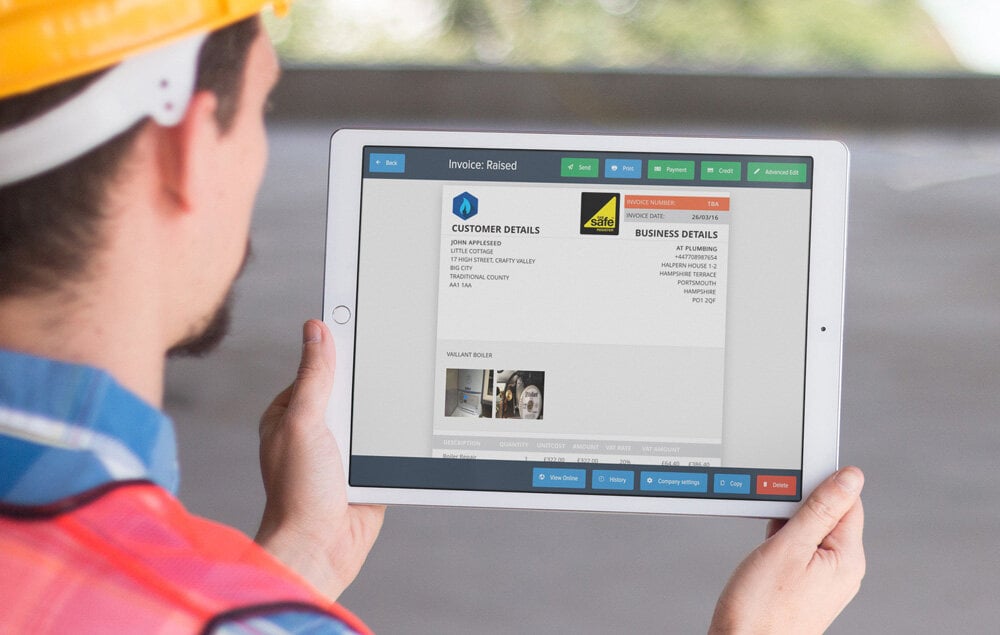
Step One – Choose a good looking template
You never judge a book by its cover right? Well, your customers sure do. So lets get started by choosing a great looking template. We’ve got you covered as Powered Now has about 20 professionally designed and great looking templates to choose from.
Step Two – Add your logo
You’ll save a company logo under company settings and you’ll never have to think about whether your invoice template header looks good again. If you don’t have a logo to hand, don’t worry, we have a bunch of default ones you can choose from. You can also add your industry logos.
Step Three – Payment / Quote Terms (maybe some bank details as well?)
Another great feature of Powered Now invoice templates is that when you put terms into an invoice, we automatically add it to your invoices. You can do the same with quotes of course. If you don’t want to set the invoice payment terms every time, you can set it up once in settings, you can of course change it for each customer.
Step Four – Notes
Thanking a customer for their business will always make you stand out in a crowd and is proven to help you get paid faster. Why don’t you try a thank you note as a nice touch.
Step Six – Photos
This is especially useful if you work in the trade business, why don’t you add a before and after photo. Always helps to show the customer what they are paying for!
All the other stuff…
We add this automatically if you are using Powered Now:
-
Invoice number
-
Invoice date
-
Customer details
-
Business details
-
Due date
-
Priced items
-
VAT Discount or Markup CIS options Amount