 Powered Now
 Three new features you’ll love: Pin, Mark and Filter
As part of our new v8.5.0 release we have a number of new and highly requested features including some changes to projects.
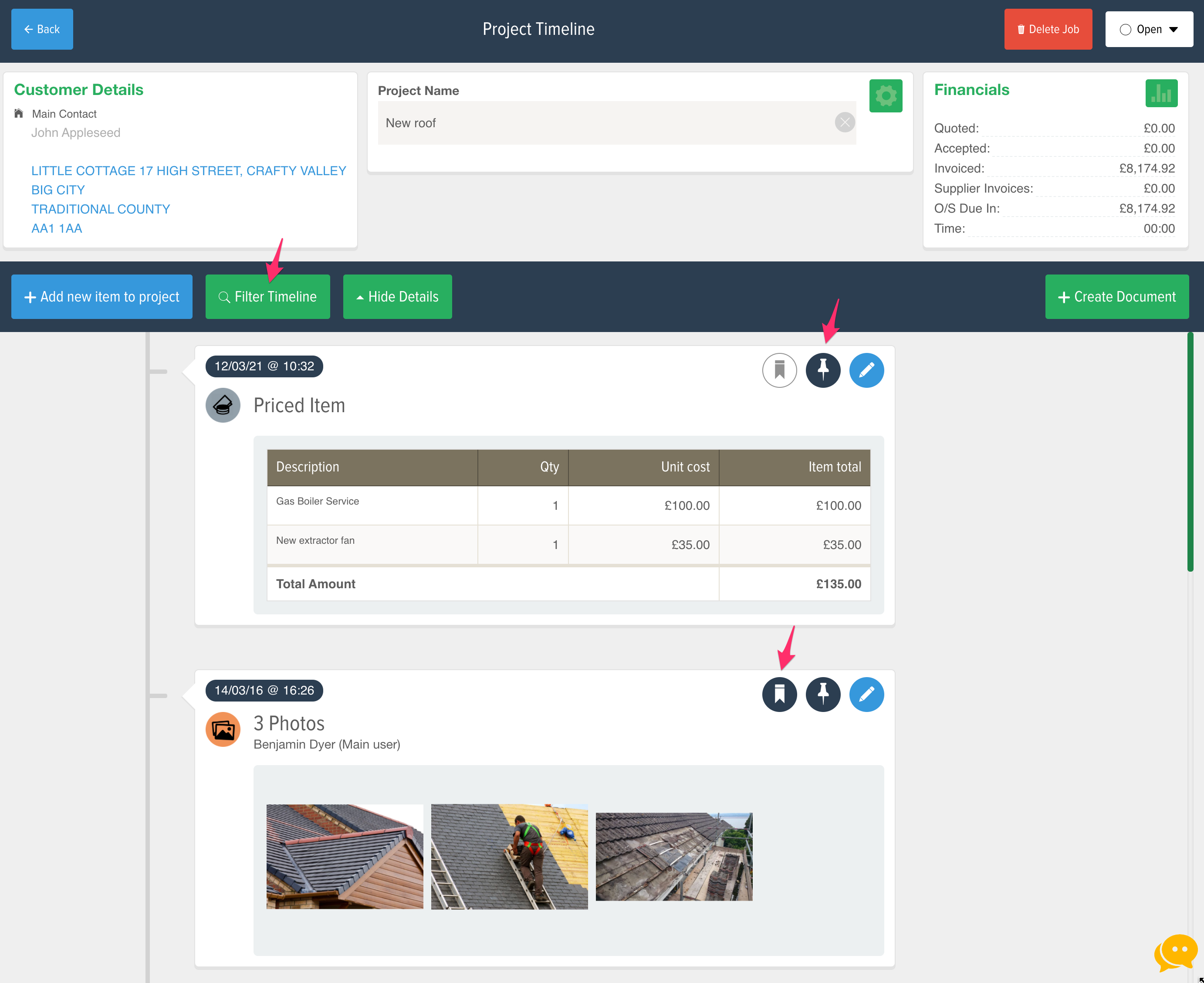
Pin items to the top of the Project timeline
We know that projects can get a little busy, so if you have something you want to see every time you open a specific project you can use our new feature, Pin!
To use the new pin feature just tap the pin icon, you can find it on the right hand side in the project timeline. It will automatically move the item to the top where it will stay until you unpin it.
Mark items that are important
If your project includes something thats important, but not that important that you want to pin it, you can use the new Mark feature. Think of it as a bookmark, just tap the icon and then you can quickly glance down the timeline to spot them.
Marked items stay where they are in the timeline, but it also works great with the new project filter.
Filter timeline
Drum roll please, we know this has been a long time coming…
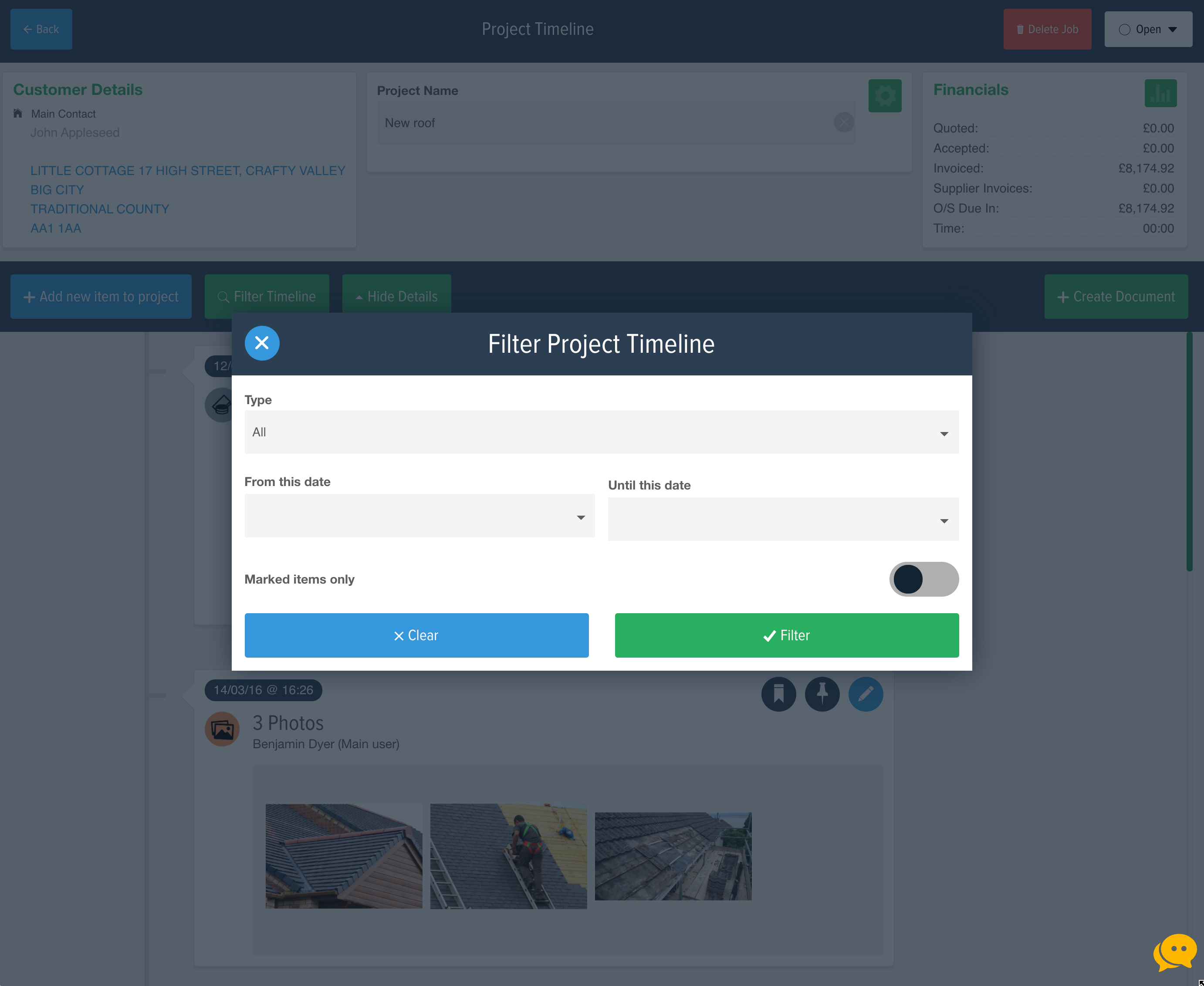
…you can now filter the project timeline. By pressing the filter button you can choose to show only specific items. This means that your busy projects can now be quickly and easily filtered down so you can find just what you need.
This new filter works great with items that have been marked.
Get in touch if you would like some training!
What else is new in v8.5.0?
As well as the above changes to appointments this new release also includes some other new features including:
- SumUp Online – Allow your customers to pay their invoices online.
- New project features, mark, pin and filter.
- New appointment features, status and value.
- Optimise first-time logon, we are making it quicker when you log in for the first time, including after a reinstall.
- Experimental new archive feature, you can now archive individual project items, we suggest you speak to us first!
- We have added some more fields to the Extended Site Visit form
- A bunch of bug fixes